Why 2025 Became the Breakout Year for AI Dictation
Dictation apps have existed for decades—but 2025 is the year they finally feel effortless.
Thanks to major advances in large language models, edge computing, and noise-robust audio processing, AI-powered dictation tools are now:
-
Faster than typing for many users
-
Accurate across accents and dialects
-
Context-aware (they understand what you’re saying, not just how)
For writers, professionals, students, and users with accessibility needs, dictation is no longer a workaround—it’s a first-class interface.
Image: Person dictating notes into a laptop with waveform UI

What Makes a Great AI Dictation App in 2025?
Before diving into the best options, it helps to know what separates modern dictation apps from yesterday’s clunky tools.
Key Criteria We Evaluated
-
Accuracy in real-world environments (background noise, accents)
-
Latency (near-real-time transcription)
-
Context awareness (punctuation, formatting, speaker intent)
-
App integration (docs, email, messaging, meetings)
-
Privacy & data handling
The best apps feel invisible—you just talk, and your words appear correctly.
1. Otter.ai — Best for Meetings and Teams
Otter.ai remains a powerhouse in 2025, especially for professionals drowning in meetings.
Why Otter.ai Stands Out
-
Live transcription for meetings and calls
-
Speaker identification and summaries
-
Integrations with Zoom, Google Meet, and calendars
-
Automatic action items
Otter isn’t just dictation—it’s meeting intelligence.
Best for: Teams, managers, journalists
Not ideal for: Long-form creative writing
Image: Otter.ai meeting transcript dashboard


2. Dragon Anywhere (Nuance) — Accuracy King
Now part of Microsoft, Dragon continues to dominate when it comes to pure dictation accuracy.
Strengths
-
Exceptional accuracy with technical language
-
Custom vocabularies (medical, legal, coding)
-
Offline dictation options
-
Deep system-level integration
Dragon is less flashy—but still unmatched for professionals who cannot afford errors.
Best for: Doctors, lawyers, engineers
Trade-off: Higher cost, steeper learning curve
3. Whisper-Based Apps — Best for Developers and Power Users
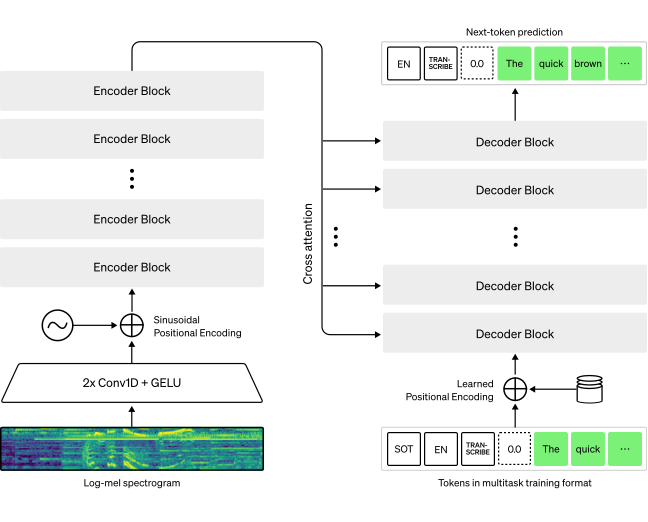
Open-source models built on OpenAI’s Whisper engine power a growing ecosystem of dictation apps in 2025.
Why Whisper Apps Are Exploding
-
Extremely strong multilingual support
-
Excellent accuracy in noisy environments
-
On-device or private server options
-
Rapid community innovation
Popular Whisper-based apps now offer polished UIs, live dictation, and editor integrations.
Best for: Developers, multilingual users, privacy-focused users
Caution: Quality varies by app implementation
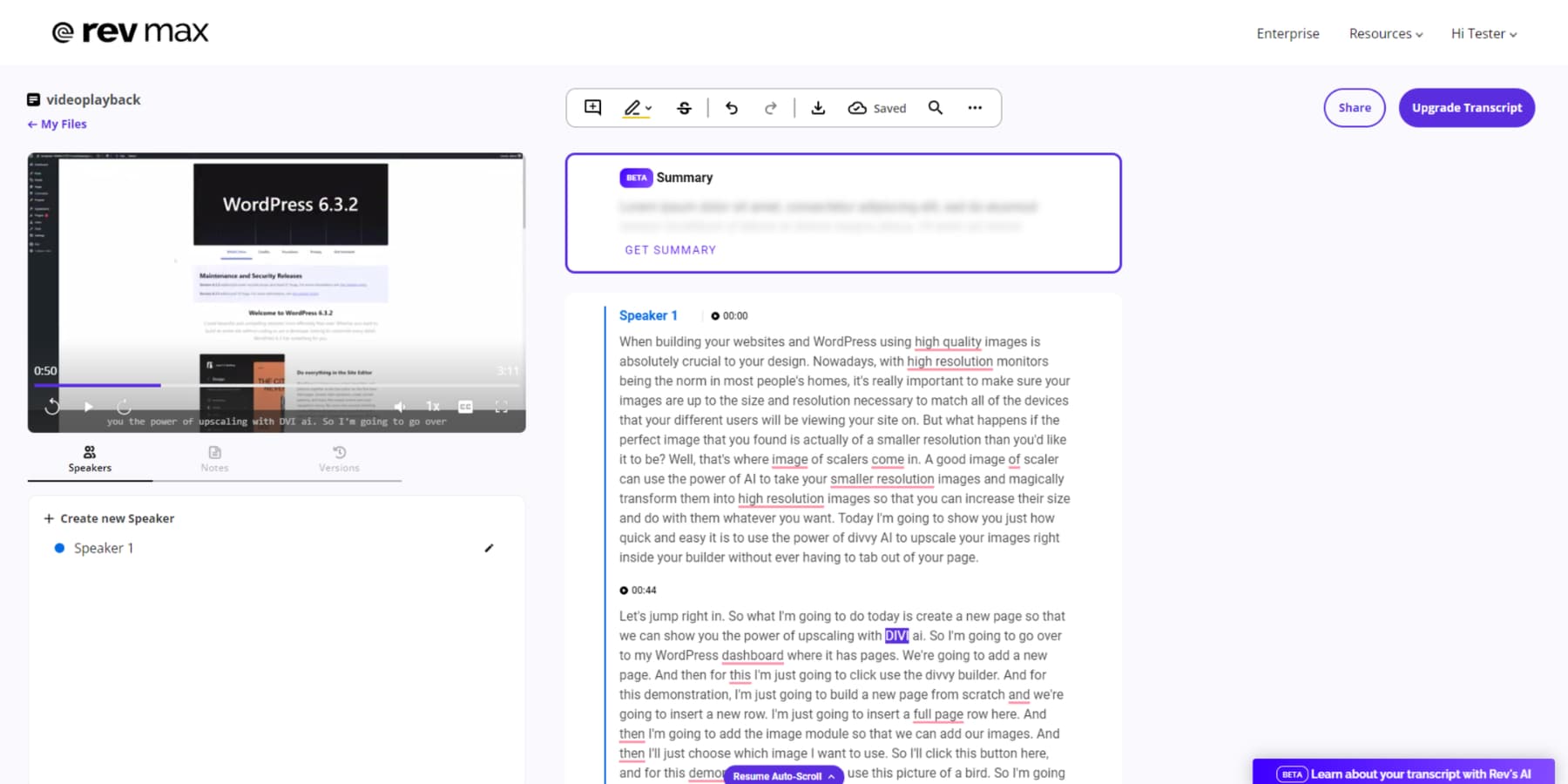
Image: Whisper AI transcription visualization
4. Google Voice Typing — Best Free Everyday Option
Powered by Google’s speech models, Google’s built-in voice typing quietly became very good in 2025.
Why It’s Still Relevant
-
Free and instantly available
-
Excellent accuracy for casual use
-
Works across Docs, Android, and ChromeOS
-
Improved punctuation handling
It lacks advanced controls—but for everyday writing, it’s hard to beat at $0.
Best for: Students, casual users, quick notes
5. Apple Dictation — Best for Apple Ecosystem Users
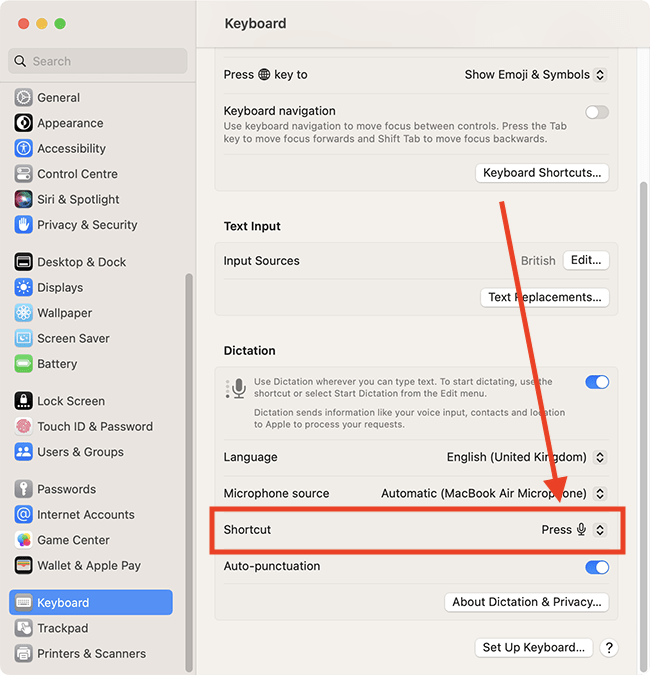
Apple’s on-device AI improvements turned Apple Dictation into a surprisingly capable tool.
Key Advantages
-
Strong privacy (on-device processing)
-
Seamless across iPhone, iPad, Mac
-
Great for short-to-medium dictation
-
Minimal setup
Apple Dictation doesn’t try to be everything—but it’s fast, private, and reliable.
Best for: Apple-only users, accessibility needs
Image: Apple Dictation in macOS text editor

Dictation for Writing vs. Dictation for Work
Not all dictation apps are built for the same job.
For Long-Form Writing
Look for:
-
Custom formatting commands
-
Paragraph awareness
-
Editing by voice
Dragon and advanced Whisper apps shine here.
For Work & Meetings
Look for:
-
Summaries and highlights
-
Speaker separation
-
Task extraction
Otter.ai and enterprise tools dominate this category.
Accuracy in the Real World: Accents, Noise, Speed
2025 dictation tools handle:
-
Strong accents far better than before
-
Crosstalk and background noise
-
Fast, conversational speech
But no system is perfect. The best results still come from:
-
Clear microphones
-
Brief pauses between thoughts
-
Reviewing text (even great AI makes mistakes)
Privacy: The Question Users Ask First Now
With voice data being deeply personal, privacy matters.
What to Check Before Choosing an App
-
Is audio stored or processed live?
-
Can you delete recordings?
-
Is data used to train models?
-
Is on-device processing available?
This is where Apple Dictation and self-hosted Whisper apps gain an edge.
Accessibility: Dictation as an Equalizer
AI dictation has become transformative for:
-
Users with motor impairments
-
Dyslexia and learning differences
-
Repetitive strain injuries
In 2025, dictation isn’t just about speed—it’s about access.
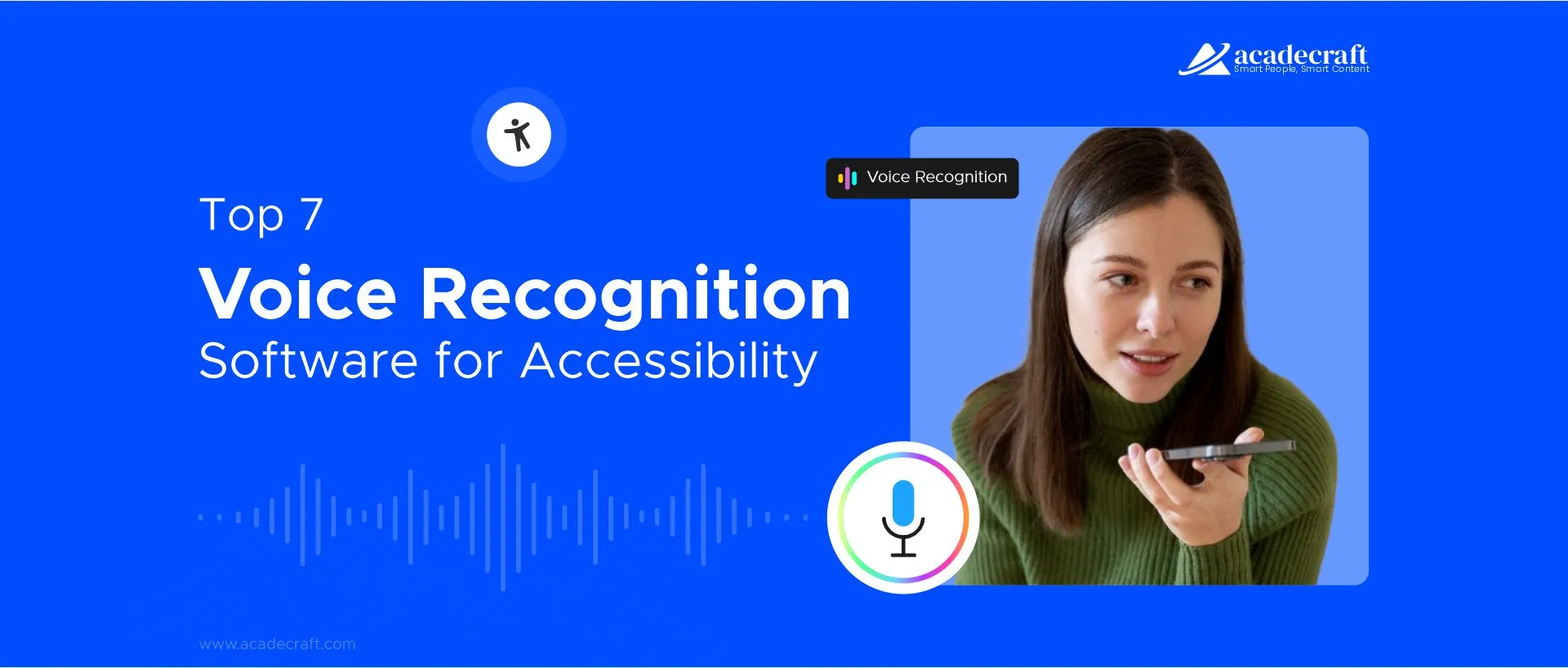
Image: Person using voice dictation for accessibility


What’s Still Missing (Even in 2025)
Despite huge progress, users still want:
-
Better emotional tone detection
-
Smarter auto-editing (less literal transcription)
-
Cross-app universal dictation
-
Fewer subscription tiers
The next leap won’t just transcribe speech—it will understand intent.
The Bottom Line: Which AI Dictation App Is Best?
There’s no single “best” app—only the best for you.
-
Best overall for work: Otter.ai
-
Best accuracy: Dragon
-
Best privacy & power: Whisper-based apps
-
Best free option: Google Voice Typing
-
Best Apple experience: Apple Dictation
What’s clear is this: in 2025, typing is optional. Talking to your computer finally feels natural—and in many cases, better.
Final Thoughts: Dictation Is No Longer a Niche
AI-powered dictation apps have crossed a critical threshold. They’re no longer novelty tools or accessibility fallbacks—they’re mainstream productivity engines.
As speech becomes a primary interface and AI grows more context-aware, dictation won’t just replace typing—it will reshape how we think, write, and work.
In 2025, the fastest way to get words on a page might be… just speaking them.